Affiliates and co-production
Sell with people who already have an audience.
Open an affiliate program on each product, approve who joins and let commissions calculate themselves. With partners per product, the split happens when the payment does.
- Automatic commission per sale
- Pix payouts
- Partners with up to 80%
Program per product
Turn the program on for any product you want.
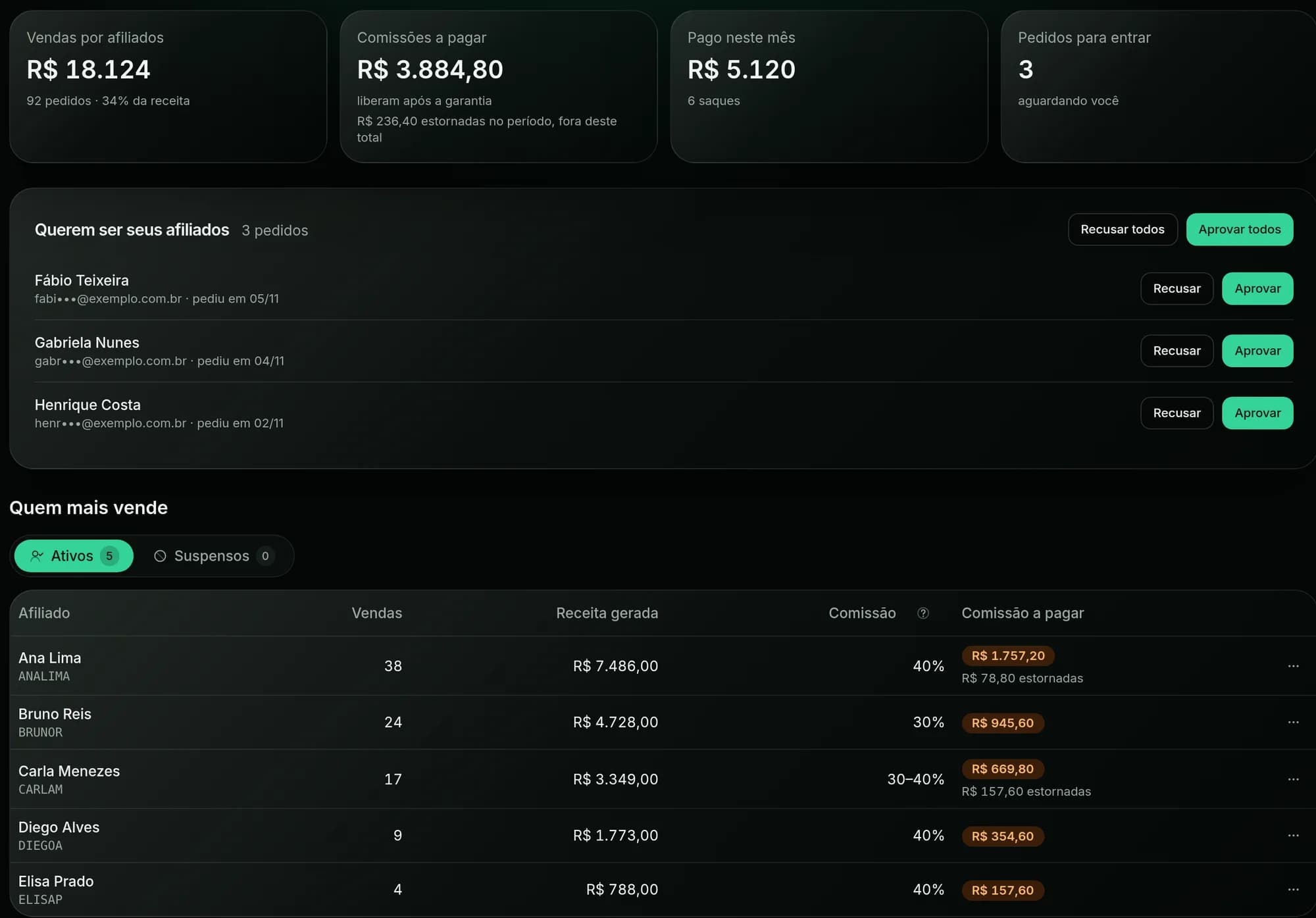
Each product has its own rules: percentage per price, who can join and how long a click counts. The Affiliates screen shows requests, ranking and payouts in one place.
- Commission as a percentage, set per product price.
- Open entry or with approval. You pick a default and change it per product.
- Approve or decline one by one, or all at once. Suspend and reactivate whenever you need.
- A custom commission for a specific affiliate. Only the school owner can change it.
- An invite link to bring in partners who are not in the showcase.
Automatic commission
Sale made, commission calculated.
The commission is created at payment, on the net order value, after wallet fees. It goes through four states until it reaches the affiliate or comes back, if there is a refund.
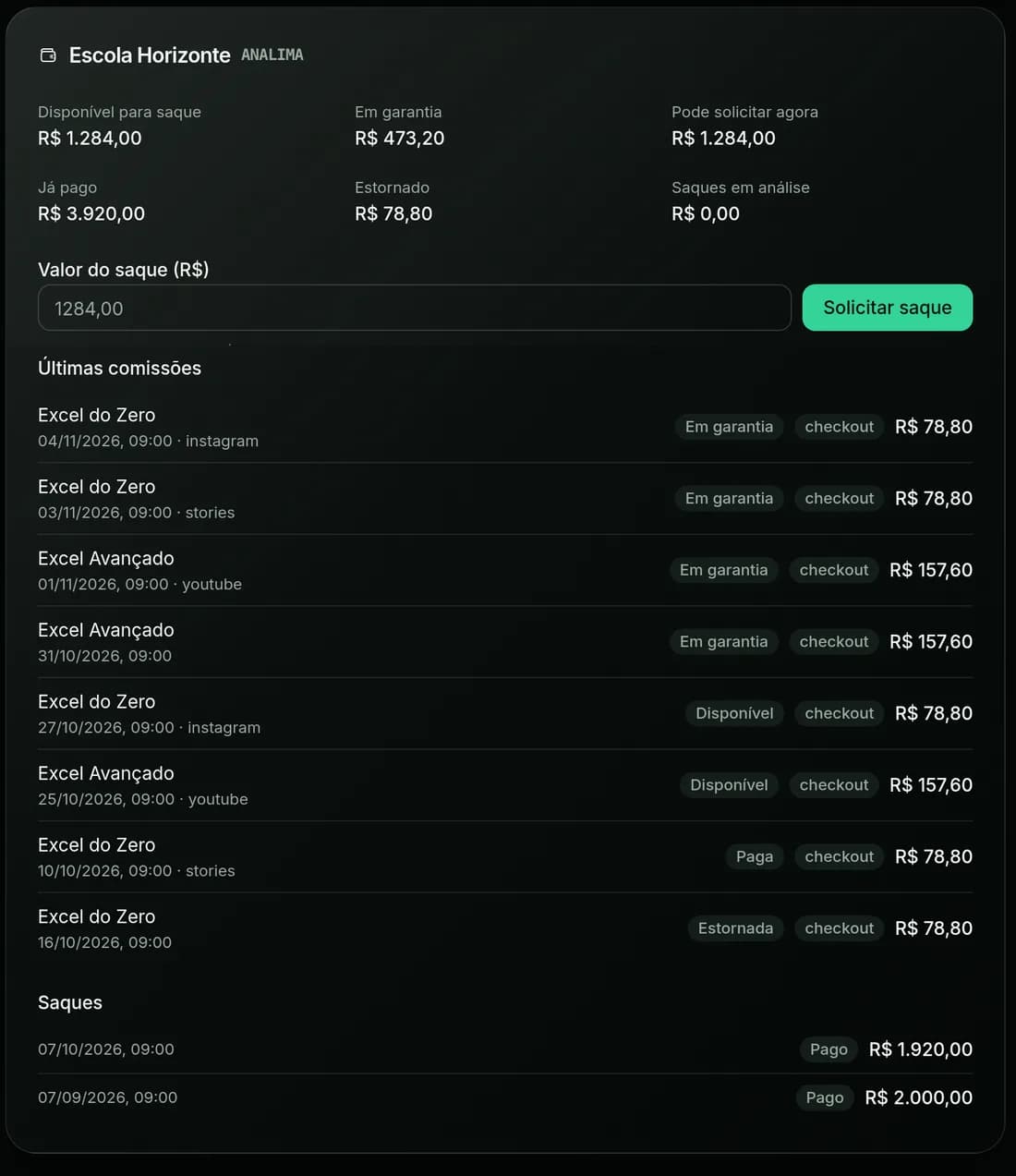
Projected
The sale was recorded and the commission is already calculated.
In guarantee
Held during the refund window you set, from 0 to 90 days.
Available
The guarantee has passed. The affiliate can request a payout.
Paid or reversed
Paid by Pix. If there is a refund or chargeback, the commission goes back.
If the commission was already paid when the reversal came, it becomes a debt deducted from the affiliate's next payout.
Recurring commission
On subscriptions, the affiliate earns on every paid renewal. You can also limit it to the first charge. If a charge is reversed, only its commission goes back.
Which click counts
Pick the last click, the first, or record both, with the sale counting for the last. A click lasts from 1 to 90 days, or with no expiry.
Promo materials
Point to a folder on Drive, Canva or Notion with art, copy and videos. The affiliate downloads everything from their own screen. You can also add a support group on WhatsApp, Telegram or Discord.
Affiliate coupon. The affiliate creates a discount code for their audience, and the discount comes out of their own commission.
Affiliate showcase
Where affiliates find what to promote.
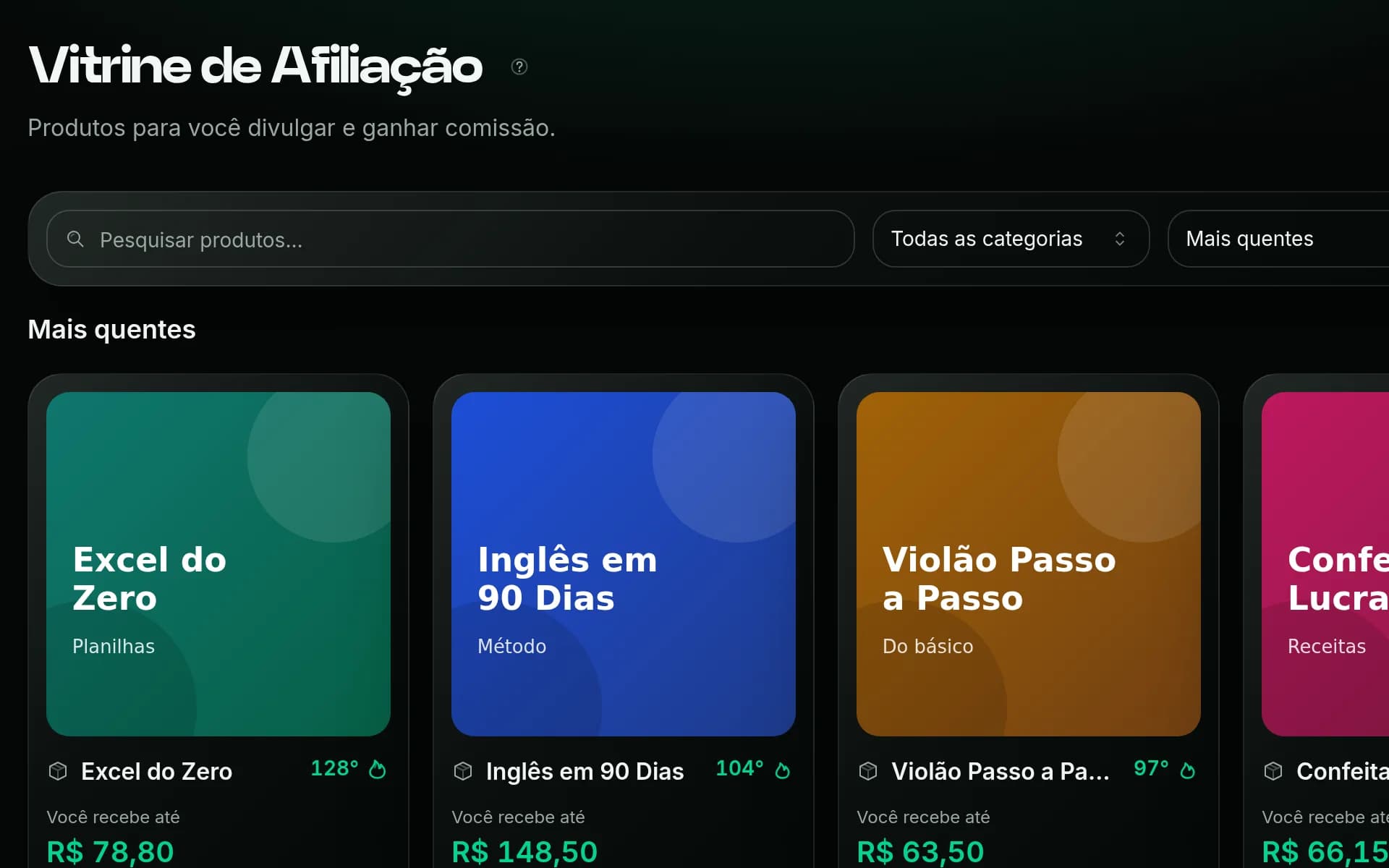
Products you publish in the showcase appear in the Global Account, the single account for people who buy and promote on Academy. Anyone who wants commission can search, compare and request affiliation without leaving it.
Search and filters
Categories, commission range, price range and sorting, with the hottest products first.
What they will earn
Each card shows, in reais, how much the affiliate earns up to, the commission per price and the program rules.
Affiliation request
With open entry, links come out right away. With approval, the request lands on your Affiliates screen.
Links and pixels
Once approved, the affiliate copies each offer's link, downloads the materials and adds the pixels of their own ad accounts.
Pix payout
The affiliate asks, you confirm, the Pix goes out.
Commission payouts live in the affiliate's Global Account. They can only request what already left the guarantee.
Details and Pix key
The affiliate registers their CPF or CNPJ, tax address and Pix key once.
Payout request
They enter the amount and confirm. Only the available balance fits, with one request under review at a time per school.
Pix payment
The school owner sees the queue, checks the key and pays with a code sent by e-mail. Debt from reversals is already deducted.
Co-production
A partner on the product, split at the time of sale.
Invite co-producers to a product and set each one's share. The split is recorded on every sale, and the report lives in Finance.
Each partner's share
You set the percentage per product. The co-producer gets that share of your slice, after fees and the affiliate's commission.
Split at payment
The co-producer's share is separated when the payment happens. On offers with a guarantee, it is held until the end of the window and then goes to their wallet.
Proportional reversal
Full refunds and chargebacks give back the co-producer's share. Partial refunds give back the proportional part.
Statement on both sides
The co-producer follows invites and earnings in the Global Account. You see the co-production in the Finance module report.
Rules that apply to everyone
- Each co-producer can have up to 80%. The sum of co-producers and the affiliate is also capped at 80%.
- The co-producer needs a myapp.academy account with a verified Academy Wallet. If they do not have one yet, they get the invite and the link activates once they create the account.
- Removing a co-producer does not change sales already made.
Frequently asked questions
Questions about affiliates and co-production
Who can be an affiliate?
Anyone with a Global Account. You choose between open entry and approval, and you can change the rule on each product.
When does the affiliate get paid?
The commission stays in guarantee for the period you set, from 0 to 90 days. Then it becomes available and the affiliate requests a Pix payout.
What is the commission calculated on?
On the net order value, after wallet fees.
What if the customer asks for a refund?
That sale's commission is reversed. If it had already been paid, it becomes a debt taken out of the affiliate's next payout.
Can I have a co-producer and an affiliate on the same product?
Yes. The sum of co-producers and the affiliate is capped at 80%.
Do I need the Academy Wallet?
Yes. To have affiliates, activate your wallet first. The co-producer also needs a verified wallet to receive their share.
Put more people to work selling with you.
Create your school, turn the program on for a product and invite your first affiliates.
Start on the Start plan, with no monthly fee.