

Security and privacy
Security you can check inside the dashboard.
Two-step verification for school admins, a log of every important action, LGPD rights and payments handled by an institution authorized by the Central Bank of Brazil.
- Two-step verification
- Activity log
- Payments through Asaas
Access
Whoever enters the dashboard goes through two steps.
A password alone does not open the dashboard of a school admin.
Two-step verification
School admins need it on their first dashboard access. You choose between an authenticator app and a code sent by e-mail.
Extra confirmation on sensitive actions
Creating an API key, deleting the school and requesting a refund require one more confirmation code.
Team with roles
Owner, Full admin and Limited access by module. Only the owner unlocks Finance, My wallet and Settings.
Students
Students enter the school area without a second factor. Anyone who wants more protection turns on two-step authentication in their own profile.
Activity log
See who did what in your school.
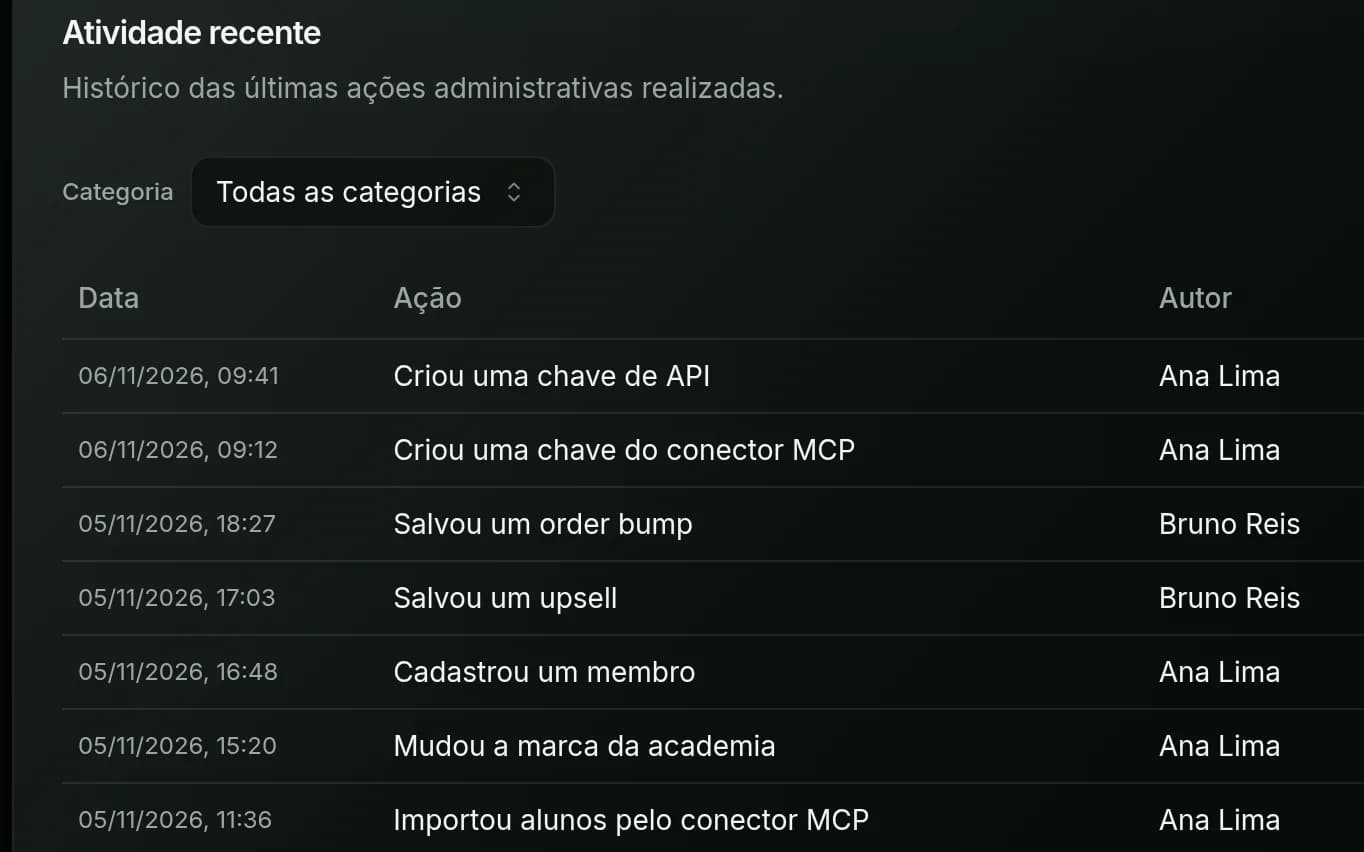
In Settings, Activity, the owner and admins check recent administrative actions.
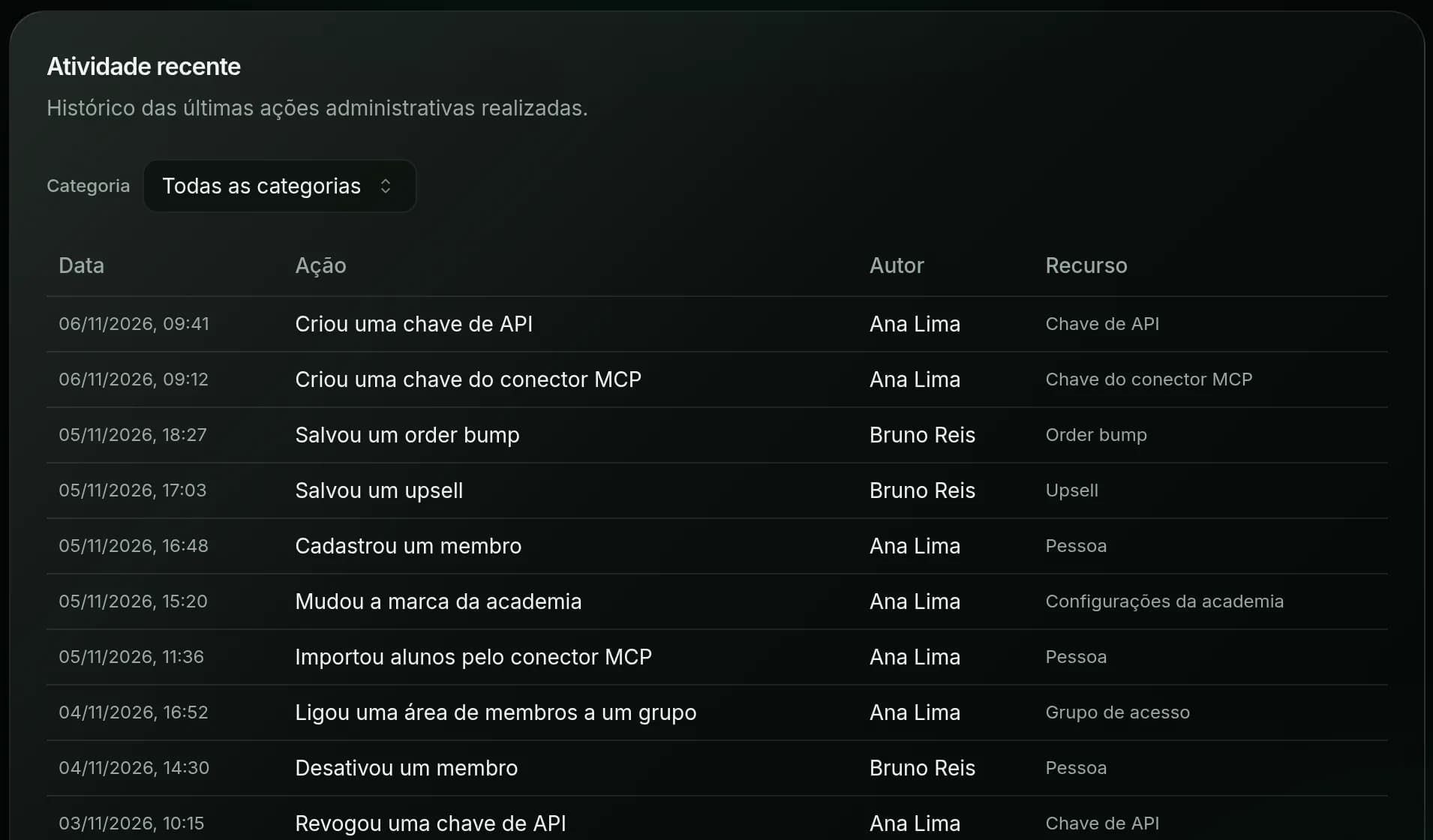
- Each row shows the date, the action written in words, the author and the affected resource.
- Actions such as creating or revoking an API or MCP key, registering and enrolling members, changing the brand, saving order bumps and upsells, wallet withdrawals and granting admin access are included.
- When the Academy support team accesses the school, the start and end of the access show up for you.
- Filter by category and the 200 most recent actions, in pages of 20.
- Connected AIs have their own audit, with tool, result and time.
Data and LGPD
Your data and your students' data, with clear rules.
Academy handles personal data under the LGPD and publishes the rules.
Data protection officer
The officer in charge of personal data processing (LGPD, art. 41) is Academy. To exercise your rights, write to contato@myapp.academy.
Your rights
You can confirm processing, access and correct your data, ask for anonymization or deletion of what is unnecessary and withdraw consent.
No selling of data
Academy does not sell or rent personal data. It shares only what is needed to provide the service, such as hosting, payments and platform e-mails.
Traffic and card
Data travels with SSL/TLS encryption. Full card data is not stored on Academy servers.
Data deletion
You can ask for deletion.
There is a path for each situation.
Students delete their own account
In the profile, under Sensitive zone, the student clicks Delete my account and confirms by typing the e-mail. Deleting removes access and personal data and cannot be undone.
The school schedules deletion
The owner schedules the school's deletion in the Danger zone, with a confirmation code. There are 30 days to change your mind, and during that time students lose access.
WhatsApp, Instagram and Messenger data
Ask by e-mail or on the Data deletion page. We answer within 15 days. Tax and financial records are kept for the period the law requires.
Payments
A payment institution takes care of the money.
Financial services (payment account, charges, transfers and withdrawals) are provided by Asaas, a payment institution authorized by the Central Bank of Brazil. Academy acts as a technology integrator. You receive in reais (BRL) in your school's account.
Report
Saw something wrong? Tell us.
The report channel takes notices of piracy, scams, illegal content or abuse. No account needed. You get a protocol number, also by e-mail, and your contact is not shared with the producer.
Frequently asked questions
What creators ask.
Is two-step verification required for my students?
No. Students enter the school area without a second factor and can turn on verification in their own profile. For school admins, it is required.
Does the Academy team access my school?
The support team can access the school to help you. In those cases, the start and end of the access show up for you in the activity log.
Who is the data protection officer?
It is Academy. The contact is contato@myapp.academy, the same as in the privacy and cookie policies.
Does Academy store my card data?
Full card data is not stored on Academy servers. Processing is done by Asaas.
How do I ask for data deletion, including data sent to the AI?
Write to contato@myapp.academy or use the Data deletion page. Tax and financial records are kept for the period the law requires.
Start safe from day one.
Create your school for free and turn on two-step verification on your first access.
No card needed to start on the Start plan.