
Checkout
A checkout that sells with your brand.
Pix, cards up to 12 installments, boleto and installment boleto. Order bump, upsell, subscriptions with a free trial, coupons and cart recovery, all on your school's payment page.
- Pix, 12x cards and boleto
- Order bump and one-click upsell
- Subscriptions with free trial

How students pay
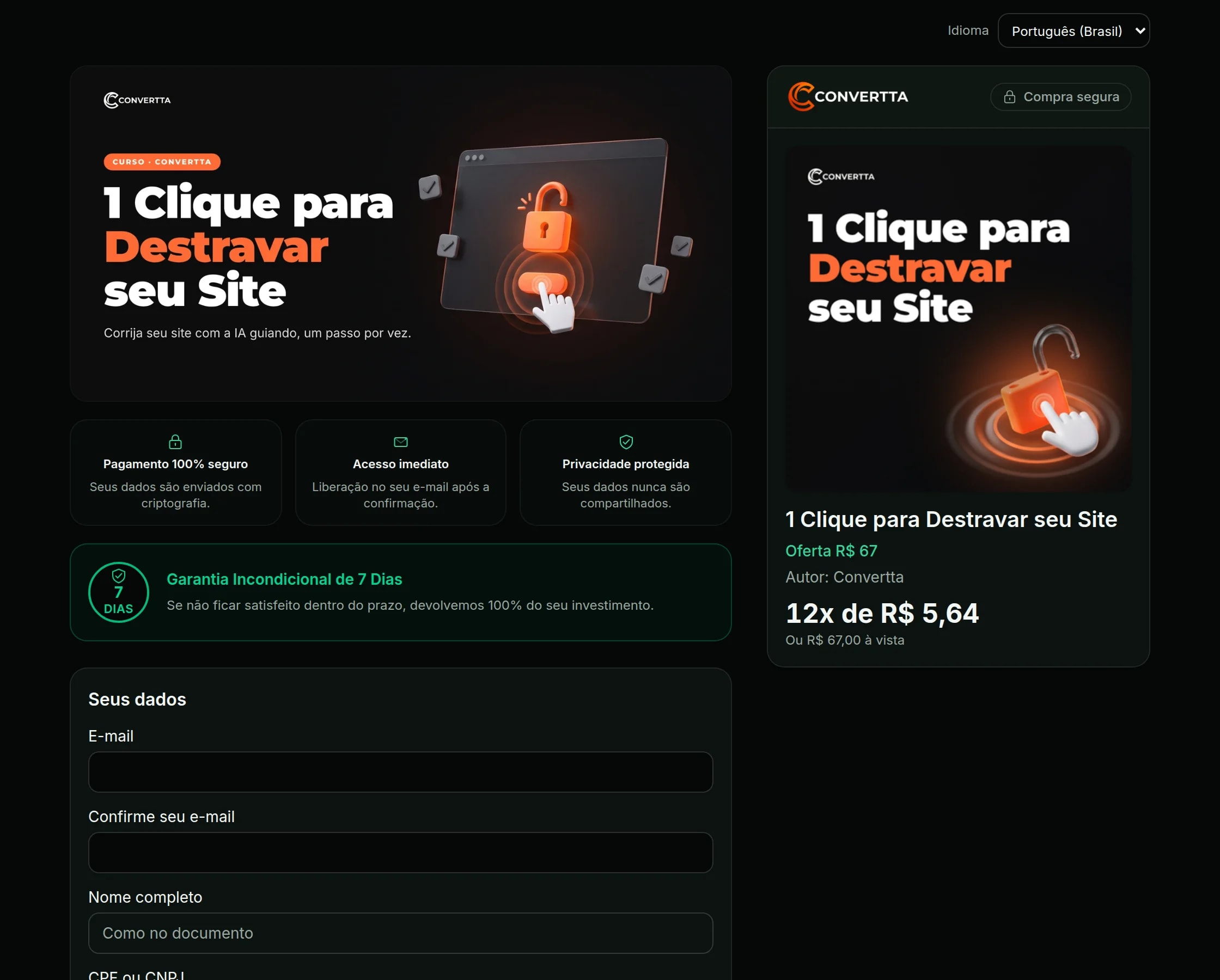
Four ways to pay, one page.
Students choose on the spot. The page follows the payment and unlocks access when it is confirmed.
Pix
Students see the QR Code and the copy-and-paste code on the page itself, without switching screens.
Card up to 12x
By default, the buyer pays the difference in the installment fee and you receive the same as you would for a one-time payment. If you prefer, you cover the cost and offer interest-free installments up to the number you set.
Boleto
One-time boleto, with notices to the buyer and payment reconciliation.
Installment boleto
A down payment due today and equal installments after it, up to 12 boletos and no interest for the buyer. It applies to one-time payments. Access is suspended if an installment is more than 7 days late.
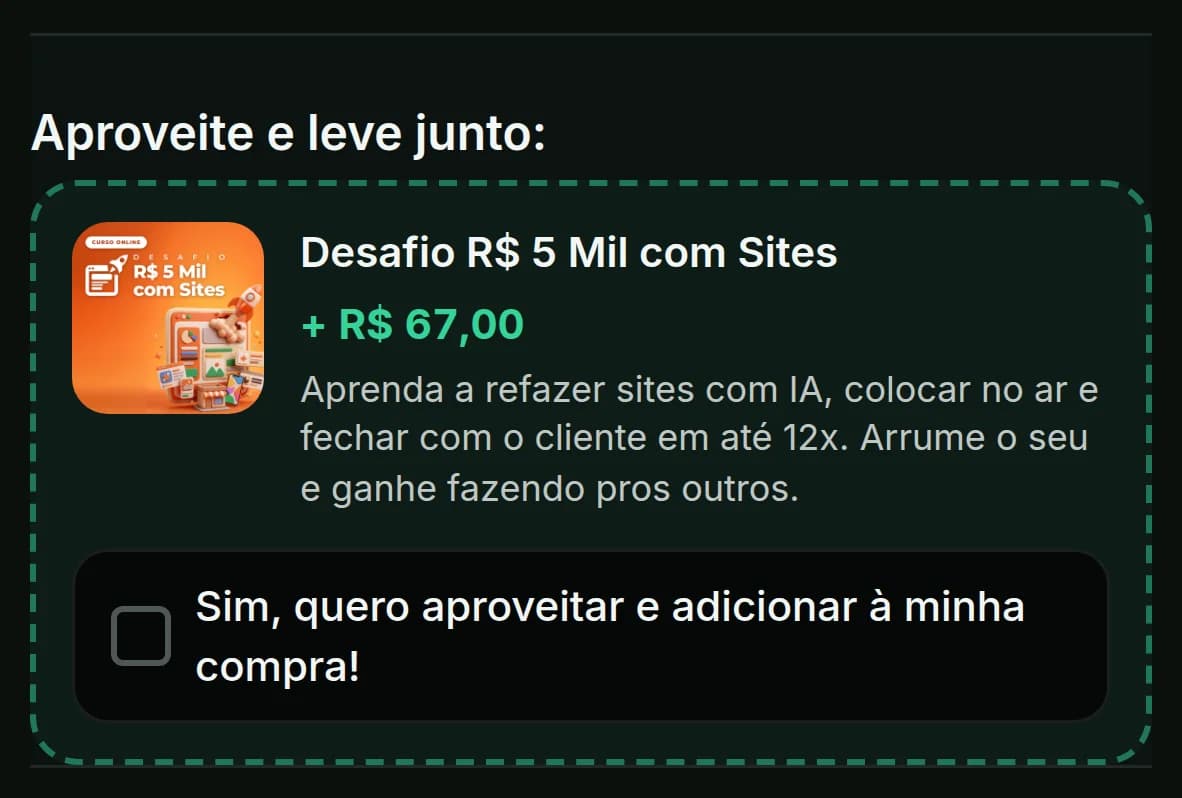
Order bump
Add it to your order.
An extra offer appears inside the checkout, right before paying. The student ticks the box and takes both items in the same payment.
- It joins the same order, with no second page.
- The total and the installments update instantly.
- You turn the bump on for the offers you choose.
Upsell
Sell more right after the purchase.
When the payment is approved, the thank-you page can show a special offer. If the student says “No, thanks”, you can show an alternative offer, the downsell.
Offer on the thank-you page
You choose the offer, the downsell and the order. Then the student goes where you decide: the default thank-you page, your own link, a Pages page or the members area.
One-click upsell
Students who paid by card accept the offer without typing anything again. The card is kept securely at Asaas, only if the student authorizes it and for up to 30 minutes. Academy does not store the card number.
Only the difference
If the upsell already includes a product the student just bought, you can discount what they paid. They pay only the difference.
Students who paid by Pix or boleto see the offer and pay in a new charge.
Subscriptions do not have a special offer.
Subscriptions
Recurring billing, with a free trial.
Sell access by the month, quarter, half-year or year. Recurring billing is on the card.
Cycles
Monthly, every two months, quarterly, every six months or yearly.
Term
Set a number of charges or leave it open-ended. When the charges end, the student keeps access or access ends at the last paid cycle, as you prefer.
Free trial
From 1 to 90 days. The student gets in right away without paying and the first charge comes after the trial. The card is asked for at the start.
Subscription coupon
The discount applies only to the first charge, to the first charges you set or to all of them.
Coupons
The right discount for each case.
Create coupons as a percentage or a fixed amount and share them by link, with the coupon already applied.
Coupon rules
Choose which offers accept the coupon, the usage limit and the start and end dates.
Coupon link
Copy the checkout link with the coupon already applied and use it in email, ads or social media.
Exit pop-up
When the buyer is about to leave, the pop-up can offer a coupon, an alternative offer or a message of yours.
Sales recovery
Whoever almost bought comes back.
When someone starts the checkout and does not finish, Academy reminds them by email or WhatsApp.
Abandoned cart
After 30 minutes without paying and without creating an order, the reminder goes out by itself. You can also send it from the cart list.
Resume link
The reminder button opens the checkout with the data already filled in and, if you want, with a coupon.
Pending Pix and boleto
For people who generated a Pix or boleto and did not pay, Growth has a ready-made reminder journey template.
One-click opt-out
Every message carries a link to stop receiving. Whoever asks stops receiving that school's recovery messages.
WhatsApp only goes to people who gave their number at checkout and agreed to receive it. The dashboard shows how many were reminded and how many paid afterwards.
Pixels and languages
Measure sales and sell to more people.
The checkout is ready for your paid traffic and for buyers who speak another language.
Pixels
Meta, Google and TikTok record the purchase after the buyer accepts cookies. Each product can have its own pixel.
Language switch
Buyers switch between Portuguese, English and Spanish at the top of the checkout.
Buyers outside Brazil
Those without a CPF or CNPJ pay by credit card, in one payment, charged in reais.
Payment link
The checkout goes where your students are.
Each offer has its own link. Paste it anywhere and the student pays.
One link per offer
Paste it in buttons, emails, ads and sales pages.
Short links
Create short links with a QR Code, pick the destination by name and track the clicks.
Inside the members area
When a student taps a locked course, the checkout opens in a pop-up without leaving the area, and the area recognizes when the payment is confirmed.
Fees
Public fees, no asterisk.
The fee table by plan lives on its own page, open to anyone. See what is left for you before creating the school.
See the feesCheckout questions
The checkout, plainly.
Which payment methods do students have?
Pix, credit card up to 12 installments, one-time boleto and installment boleto. Buyers outside Brazil without a CPF or CNPJ pay by card, in one payment.
Who pays the installment interest?
By default, the buyer pays the difference in the installment fee and you receive the same as for a one-time payment. You can also cover the cost and offer interest-free installments up to the number you set.
Does the one-click upsell charge the card on its own?
Only after the student authorizes keeping the card and clicks “Yes, I want it”. The card is kept at Asaas for up to 30 minutes, only for the offers of that purchase.
Can I sell subscriptions with a free trial?
Yes. The trial runs from 1 to 90 days, the student gets in right away and the first charge comes later. Recurring billing is on the card.
Can the buyer stop receiving reminders?
Yes. Every recovery message carries a link to stop receiving, and whoever asks stops receiving that school's recovery messages on any channel.
How much does it cost to sell through the checkout?
The fees by plan are public and live on the fees page.
Open your school's checkout.
Create the school, add your products and turn on Pix, card, boleto, bump, upsell and coupons.
Sign up with no card.