

What's new: dollar pricing, API and MCP, external bot and more
By Marlos Hoffmann
See what's new in Academy on 10/26: dollar pricing per checkout, an API and MCP page, an external support bot, a cleaner chat and a welcome email.
Short answer
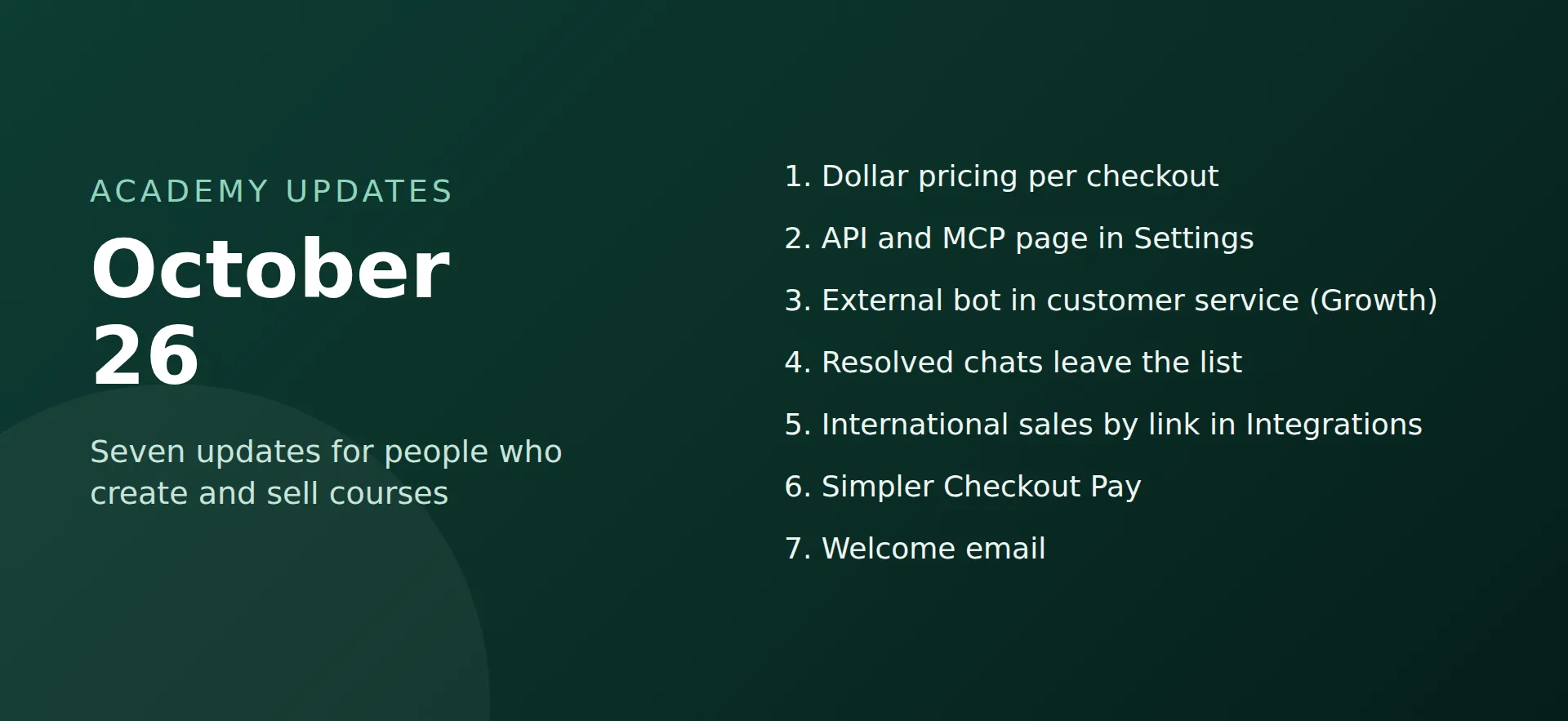
On October 26, Academy launched dollar pricing per checkout (selling starts soon, once the payments partner enables it), an API and MCP page with a single key, an external bot in Growth, resolved conversations that leave the list, international sales by link under Integrations, a simpler Checkout Pay and a welcome email.
Every week Academy gets new features, and this batch brings seven changes for people who create and sell courses: dollar pricing at checkout, a single page for API and MCP keys, an external bot for customer support, resolved conversations that disappear from the list, international sales by link under Integrations, a simpler Checkout Pay, and a welcome email for new sign-ups.
Below is what changed, where to find each item, and what still depends on a rollout. The images use sample data, not a real academy.
What went live on October 26?
- Dollar pricing per checkout: choose Real or Dollar when you create a price.
- "API and MCP" page: keys, webhooks and connectors in one place, under Settings.
- External bot in Growth: connect an outside bot to customer support, with access only to the channels you choose.
- Cleaner chat: a resolved conversation leaves the list right away.
- International sales by link: now lives under Integrations.
- Simpler Checkout Pay: the Products tab is gone and a "Set up recovery" button took its place.
- Welcome email: people who sign up get the email after they confirm their address.
How do you sell in dollars on the Academy checkout?
When you create a price under New price, you choose the selling currency: Real (Brazil) or Dollar (abroad). Each price has its own currency, so the same product can have one price in reais and another in dollars.
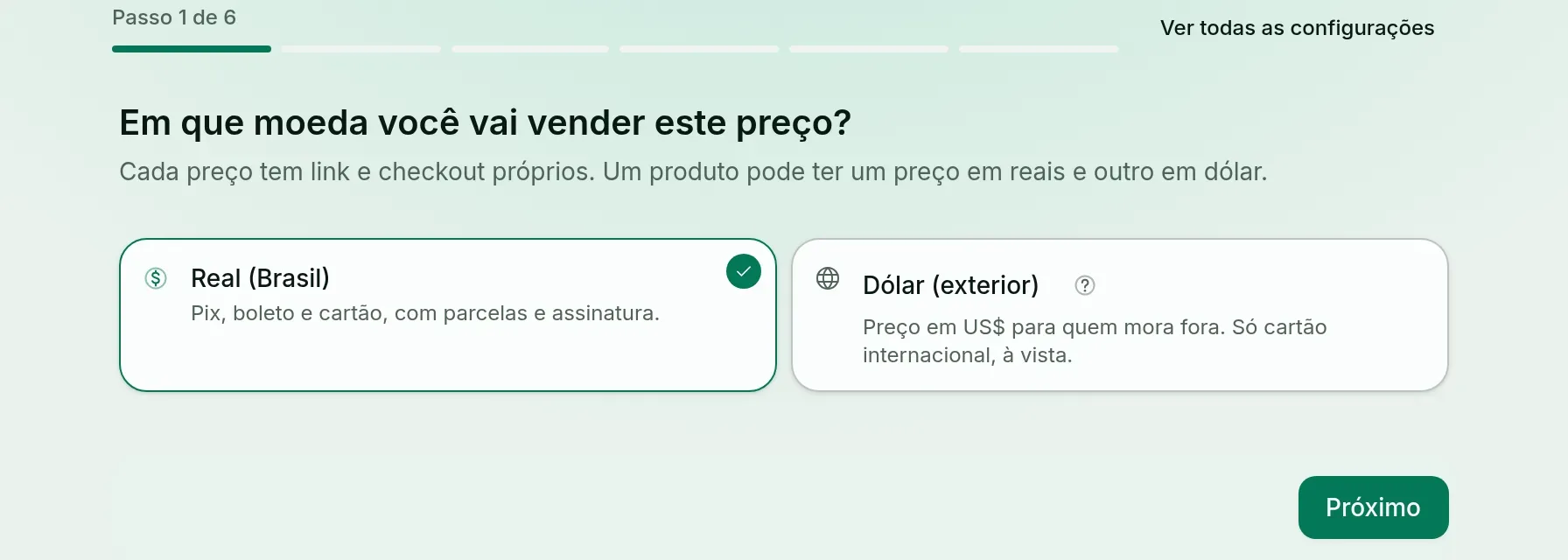
With a dollar price:
- The buyer sees the amount in US$ and pays by international card, in a single payment.
- The charge is made in reais, at the day's exchange rate.
- In your dashboard, the price shows in US$, with a US$/R$ toggle so you can see what it's worth in reais.
- You choose the checkout language: Portuguese, English or Spanish.
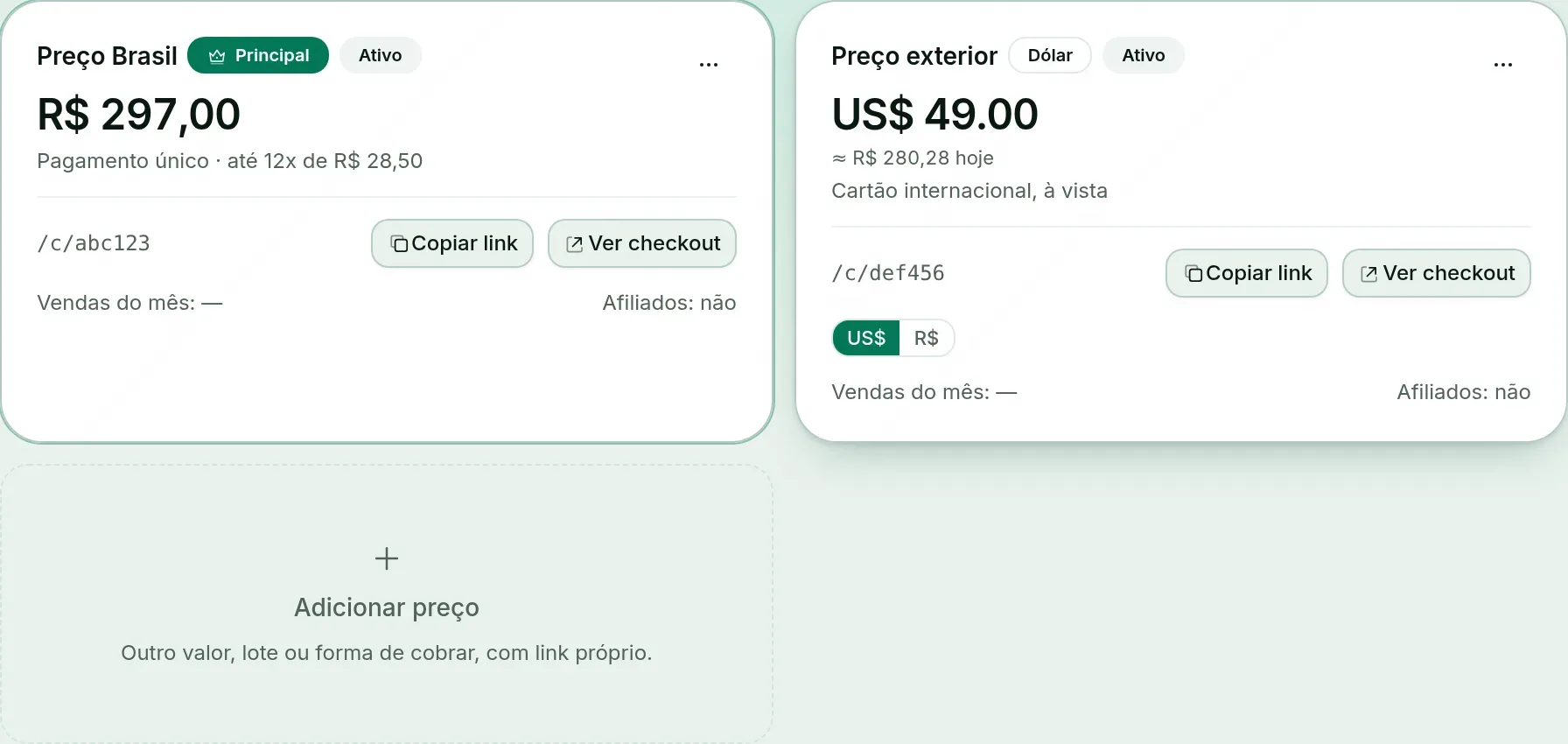
Important: dollar sales will be released soon. They depend on our payments partner enabling foreign payers, so there is no date yet. You can already set up your prices; the dashboard will let you know when selling is enabled.
Where are the API and MCP keys?
Under Settings, the new API and MCP page brings everything together in three tabs:
- Keys: a single key works for both the API and MCP (the feature that lets an AI assistant use your academy's data). You choose permissions per module, giving each key only the access it needs.
- Webhooks: automatic notifications sent to other systems when something happens in your academy. Each webhook can use its own secret.
- Connectors: the MCP connectors, the changes pause and recent activity.
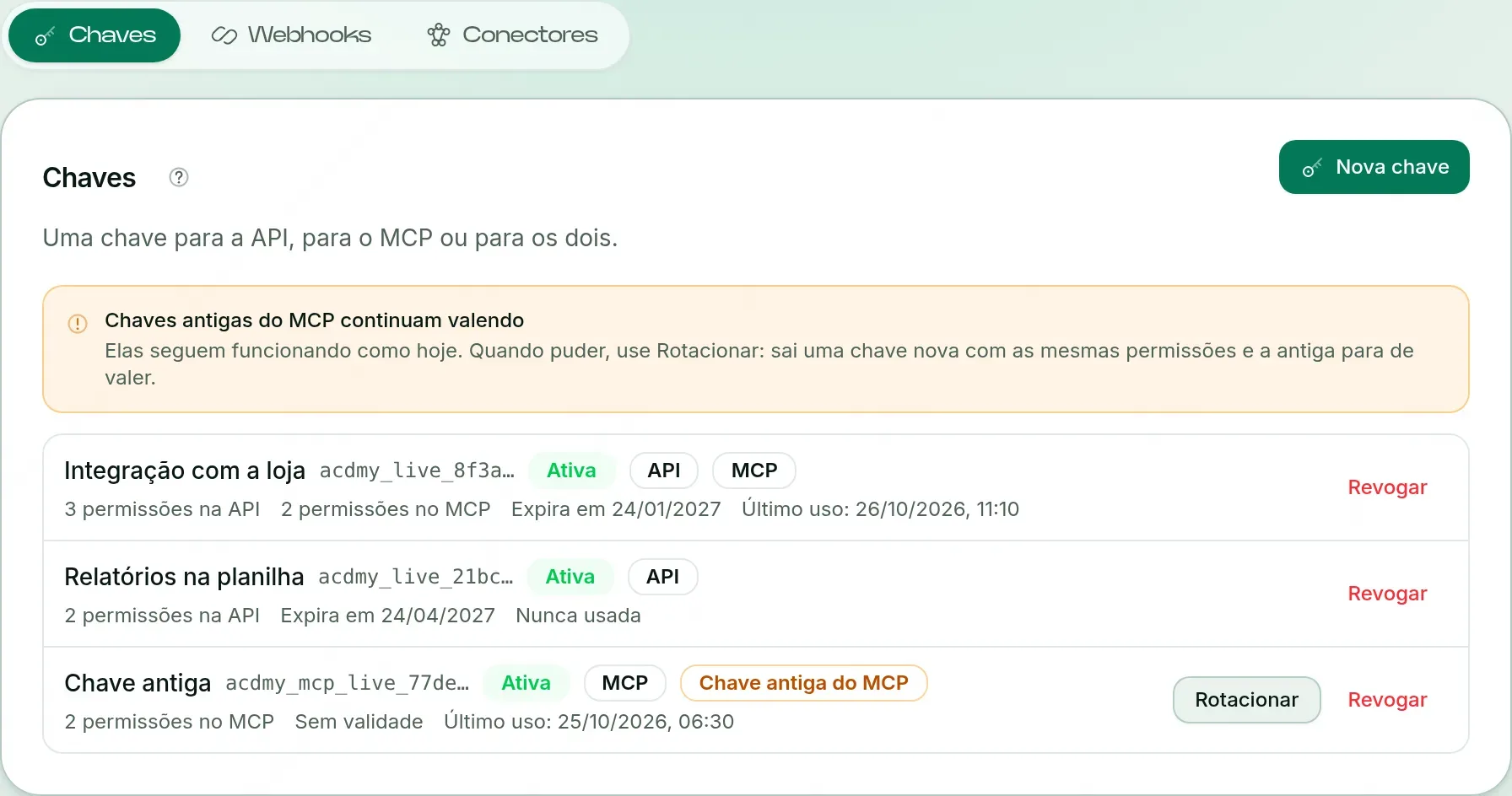
Giving each key only the permissions it needs is one of the basic security practices for anyone using integrations.
How do you connect an external bot to customer support?
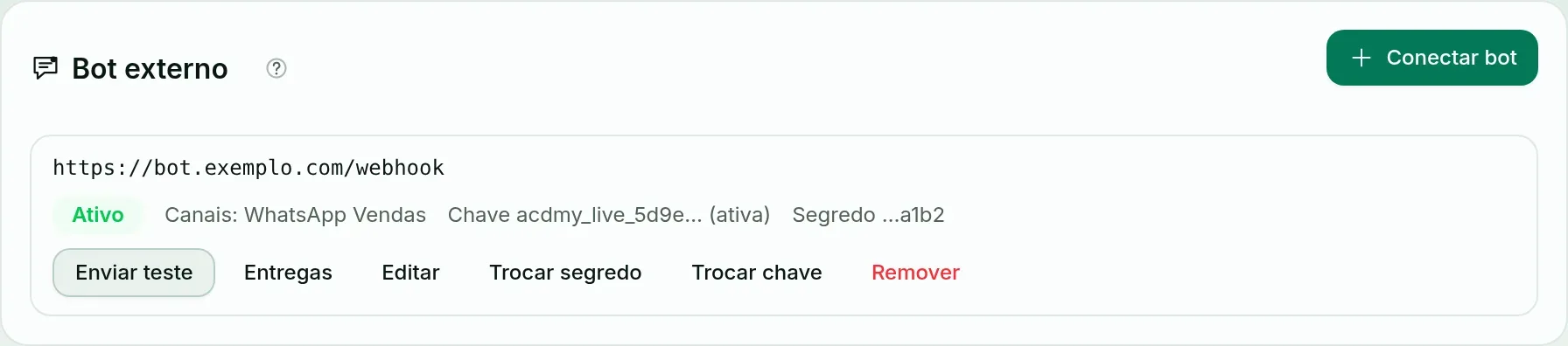
Under Growth › Settings › Service, the External bot card connects a bot that runs outside Academy, such as one from your own system or an agency.
- You choose which channels the bot handles.
- The bot has its own secret.
- Along with the connection, a key is created that gives access to chat, CRM, funnels, flows, automations and WhatsApp templates.
- That key is restricted to the channels you chose: the bot can't see other conversations.
What changes in chat and integrations?
Resolved conversations leave the list. When you mark a conversation as resolved, it disappears from the list right away. It stays open in the panel until you open another one, so you can finish reading or replying without losing your place.
International sales by link. If your academy sells abroad by link using your own Stripe, PayPal or Hotmart account, that setting now lives under Integrations, alongside the others.
What changed in Checkout Pay?
Checkout Pay is simpler now. The Products tab is gone, because products are managed on the product itself. In its place there is a Set up recovery button, to adjust the messages that try to win back a sale that wasn't completed.

Do new sign-ups get a welcome email?
Yes. After confirming their email, people who sign up receive a welcome email. That gives them a clear first touchpoint with the platform right after they join.
Frequently asked questions
When can I sell in dollars?
Soon. Dollar sales depend on our payments partner enabling foreign payers, and we don't have a date yet. You can create prices now, and selling starts when the rollout happens.
Does my old MCP key still work?
Yes. It shows up in the Keys tab as Legacy key, with a button to swap it for a new key in the single format.
Does the buyer pay in dollars or in reais?
The buyer sees the price in US$ and pays by international card, in a single payment. The charge is made in reais, at the day's exchange rate.
Can the external bot see all of the academy's conversations?
No. The key created along with the bot is restricted to the channels you chose.
Do I need to do anything to get the welcome email?
No. Just confirm your email when you sign up.
Sources
See what's new in your dashboard
Open your academy dashboard and try each feature.
Keep reading
All articlesWhat's new: pages in one place, ready-made sites and a more capable Nexu
Academy's October 28 updates: New page in one pop-up, 30 free templates, a customizable editor, Import HTML, Ready-made site and a more capable Nexu.
Read articleWhat's new in the Content tab: layouts, generated cover, View as student and Library
See what changed in Academy's Content tab: four lesson list layouts, a cover generated from video, View as student, course tools, the Library, and ratings.
Read articleNew Engagement dashboard: see who is watching and where your students stop
Meet the Academy Engagement dashboard: Live, views, completion by course and lesson, students at risk, and the retention curve of each video.
Read article