

What's new: pages in one place, ready-made sites and a more capable Nexu
By Marlos Hoffmann
Academy's October 28 updates: New page in one pop-up, 30 free templates, a customizable editor, Import HTML, Ready-made site and a more capable Nexu.
Short answer
On October 28, Academy launched a single pop-up for creating pages, 30 free templates with images, more editor options, import of HTML and ready-made sites, and a Nexu that reads and does more in your dashboard.
This release changes how you create pages in Academy and makes Nexu more useful day to day. In short: a single pop-up to start any page, 30 free templates plus one premium, an editor with more control, HTML import, publishing of ready-made sites and new skills for Nexu.
Below is what changed, where to find each item and from which plan it applies.
What went live on October 28?
- Pages in one place: the "New page" button opens a single pop-up with every type.
- Ready-made templates with images: 30 free templates and the Low Ticket template, premium.
- Customizable editor: photo in testimonials, move elements, swap columns, duplicate a section and per-section style.
- Import HTML: from the Campus plan.
- Ready-made site: from the Legacy plan.
- A more capable Nexu: reads more data, runs actions with confirmation and respects the academy's brand.
How do I create a page now?
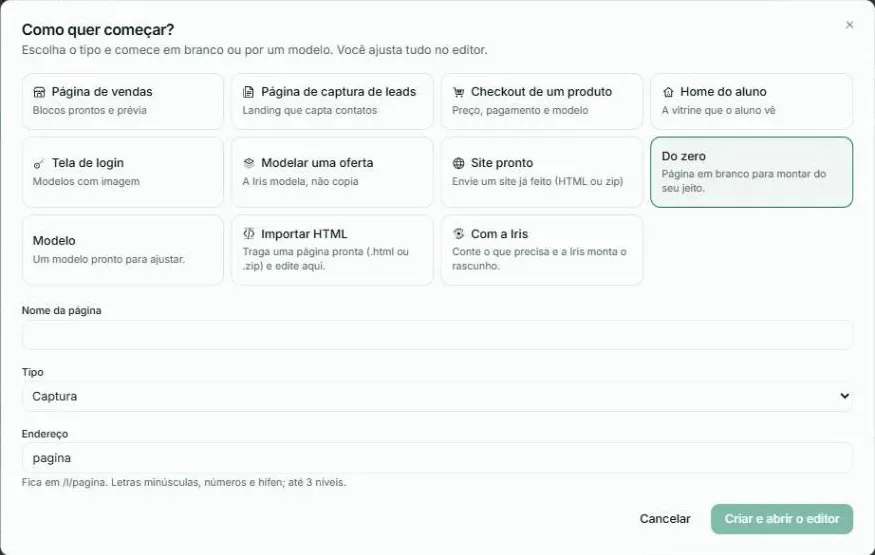
In Pages, the New page button opens a single pop-up, How do you want to start?. It holds every path for creating something new:
- Sales page, Lead capture page, Checkout for a product, Student home and Login screen.
- Template: a ready-made template to adjust.
- From scratch: a blank page to build your way.
- Import HTML: bring a ready-made page (.html or .zip) and edit it here.
- Ready-made site: upload a site that's already built (HTML or zip).
- Model an offer and With Nexu: Nexu helps build the draft.
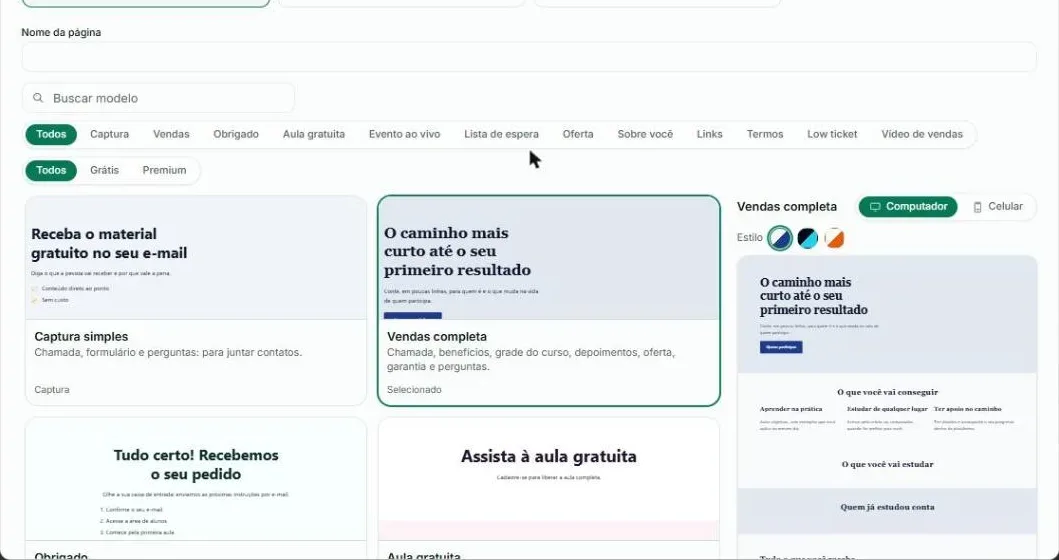
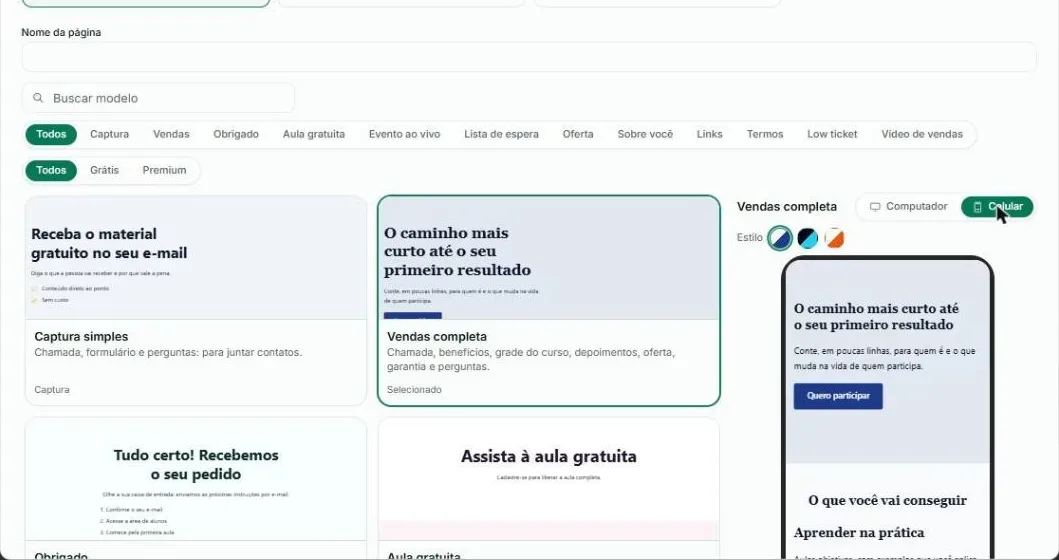
When you choose Template, you can filter by type (capture, sales, thank-you, free class, live event, waitlist and others), by free or premium, and see the preview on desktop and mobile before you decide.
Which ready-made templates are available?
There are 30 free templates, all with images, plus the premium Low Ticket template, available on the Legacy plan, with 17 sections designed to sell low-priced products.
What can I customize in the editor?
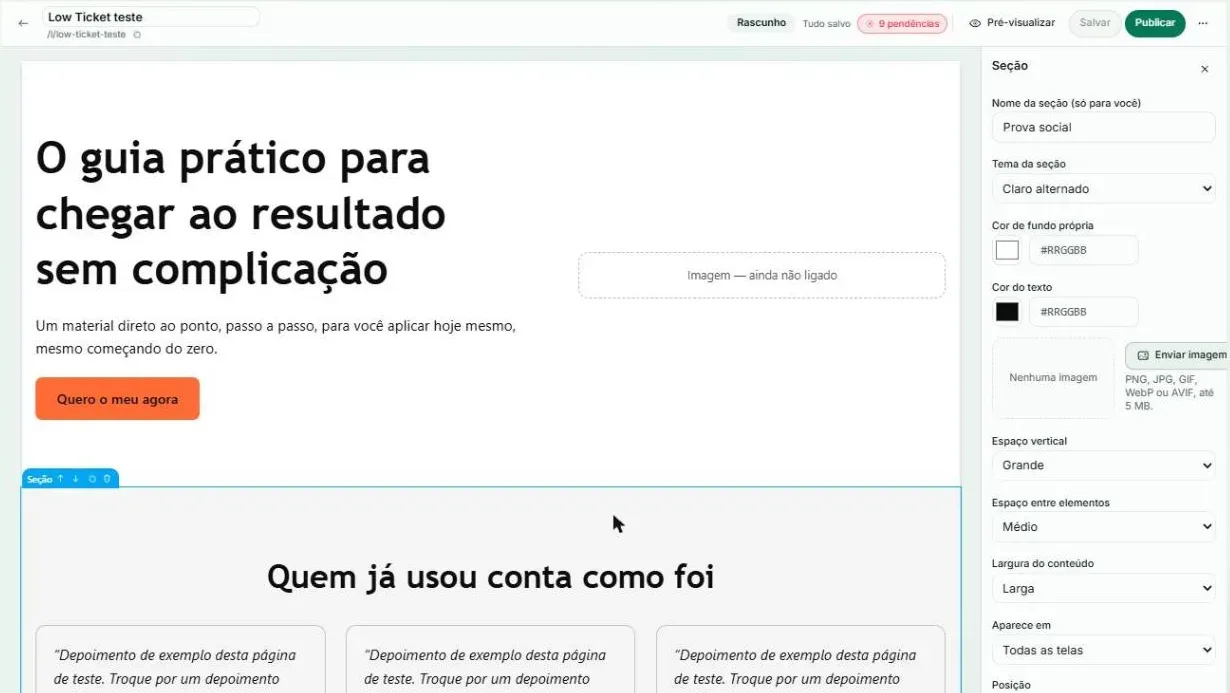
- Photo in the testimonial.
- Move elements between columns and between sections.
- Swap the columns of a section.
- Duplicate an entire section.
- Per-section style: text color, spacing and background image.
How do I import a page in HTML?
From the Campus plan, the Import HTML option accepts pasted code or an .html or .zip file. The page becomes an editable page, saved as a draft, and you publish whenever you want.
For security, scripts are removed on import. This keeps third-party code from running inside your academy.
How do I publish a ready-made site?
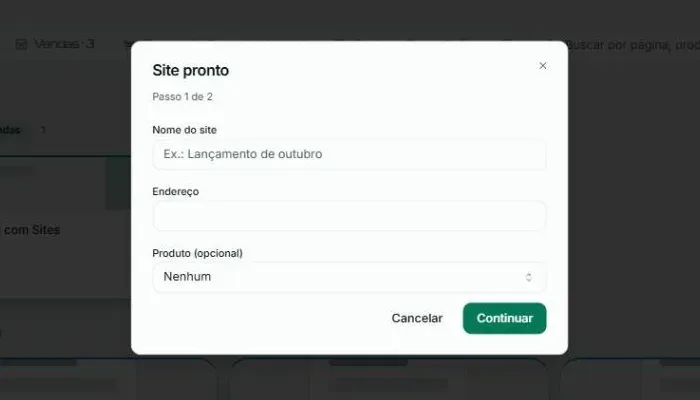
From the Legacy plan, the Ready-made site option takes the zip of the dist folder from a site built outside Academy, for example with React, Vite or Astro. You publish the site on your academy's domain. In the Ready-made site pop-up, the first step asks for the site name, the address and, if you want, the product it's linked to.
- The site runs isolated, for security.
- It has a report button.
- You can link it to a product.
What's new with Nexu?
- Reads more data: tags, segments, automation runs, ads and visitors.
- Acts with confirmation: stops and reruns executions and creates WhatsApp templates, always asking for your confirmation first.
- Respects your brand: uses your academy's colors, fonts and tone.
- Knows your academy: builds a profile with up to 5 questions.
Frequently asked questions
Are Import HTML and Ready-made site the same thing?
No. Import HTML turns a page into an editable Academy page. Ready-made site publishes a complete site, built elsewhere, exactly as it was generated.
Which plans include each feature?
The 30 free templates are available to everyone. Import HTML applies from the Campus plan. The Low Ticket template and Ready-made site apply from the Legacy plan.
Why are scripts removed when importing HTML?
For security. Without scripts, the imported code can't perform actions inside your academy.
Does Nexu make changes without telling me?
No. To stop or rerun executions and to create a WhatsApp template, Nexu asks for your confirmation.
Sources
Create your next page
Open Pages in your dashboard and click New page.
Keep reading
All articlesWhat's new in the Content tab: layouts, generated cover, View as student and Library
See what changed in Academy's Content tab: four lesson list layouts, a cover generated from video, View as student, course tools, the Library, and ratings.
Read articleWhat's new: dollar pricing, API and MCP, external bot and more
See what's new in Academy on 10/26: dollar pricing per checkout, an API and MCP page, an external support bot, a cleaner chat and a welcome email.
Read articleNew Engagement dashboard: see who is watching and where your students stop
Meet the Academy Engagement dashboard: Live, views, completion by course and lesson, students at risk, and the retention curve of each video.
Read article