
Certificates
Certificates with your school's brand.
The student completes the course and receives a PDF certificate with your logo, your colors and the signature of whoever represents the school. Anyone can check its authenticity by code.
- Template with your brand
- Automatic or manual issuing
- Public verification by code
Your own template
With your logo, your colors and your signature.
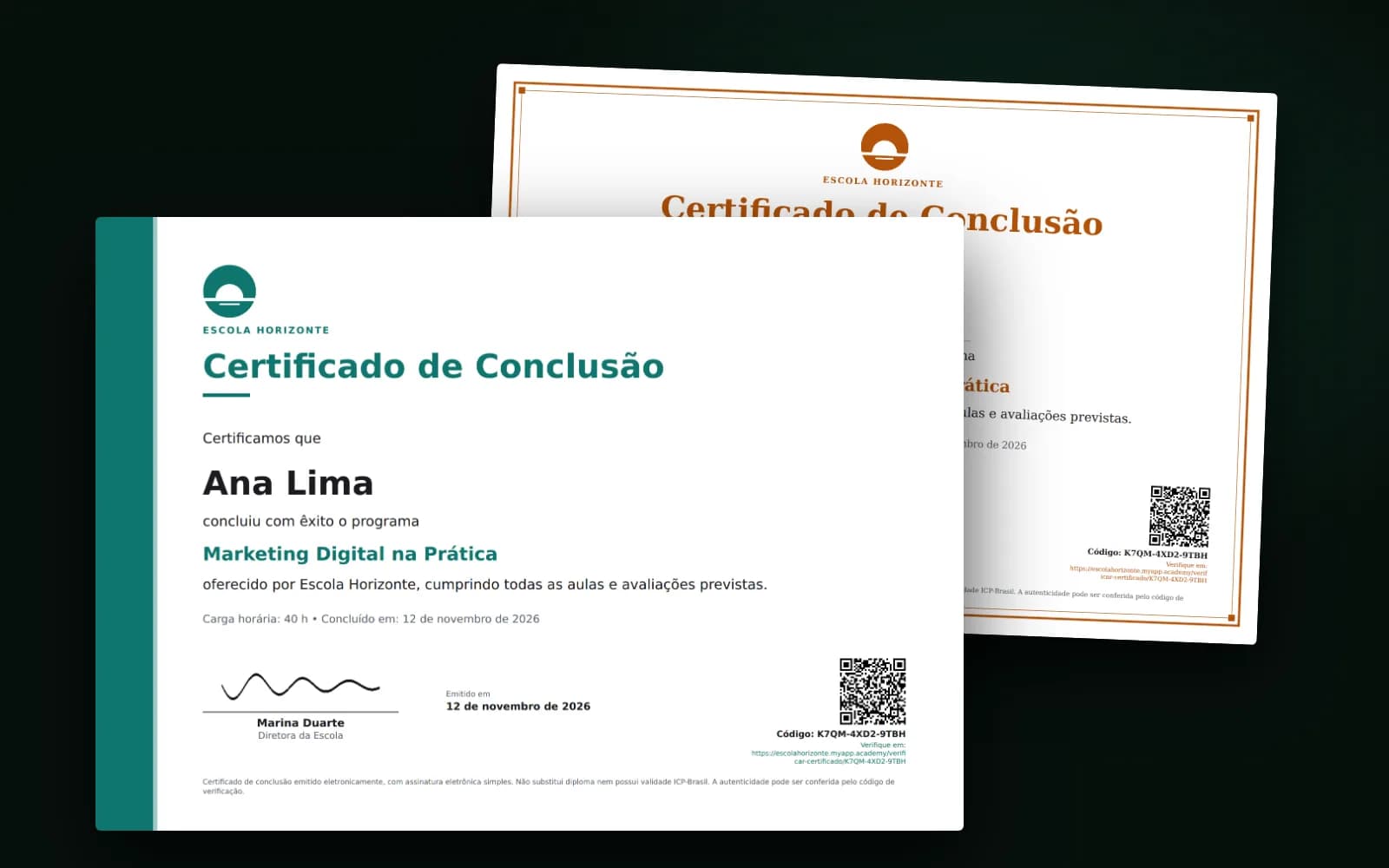
In the dashboard you build the template for each course and see a preview right away, with a fictional student.
Two layouts
Classic, with a frame around the page, or Modern, with a highlight band on the side.
Accent color
Pick the school's color for the frame, the band, the title and the course name.
Logo and signature
Upload the logo and the signature image as PNG. Enter the name and role of the signer.
Your own texts
Change the title and the certificate text. Use variables for the student name, the course, the workload, the completion date and the school name.
Language
The certificate comes out in Portuguese, English or Spanish, with texts and dates in the chosen language.
Workload and date
Show or hide the workload and the completion date.
The standard certificate comes with every plan. The template with your brand is in the Campus and Legacy plans.
See the plansIssuing
Automatic or manual, you decide.
Set the rule for each course. Whoever meets the rule receives the certificate on their own.
Issuing rule
Set the minimum percentage of completed lessons. If you want, also require a minimum quiz score or passed quizzes.
Manual issuing
Look the student up by email and issue the certificate, even if the rule has not been met yet.
Past completions
Turned certificates on later? Issue them at once for every student who already met the rule, without sending email.
Email notice
When a certificate is issued, the student receives an email with the notice.
Issued list
See who received it, the code, the date and whether it was issued automatically or manually. Search by code or email and export as CSV.
Revoke
Issued by mistake? Revoke it with a reason. The certificate stops being valid in the verification and the PDF can no longer be downloaded.
Public verification
Anyone can check it in seconds.
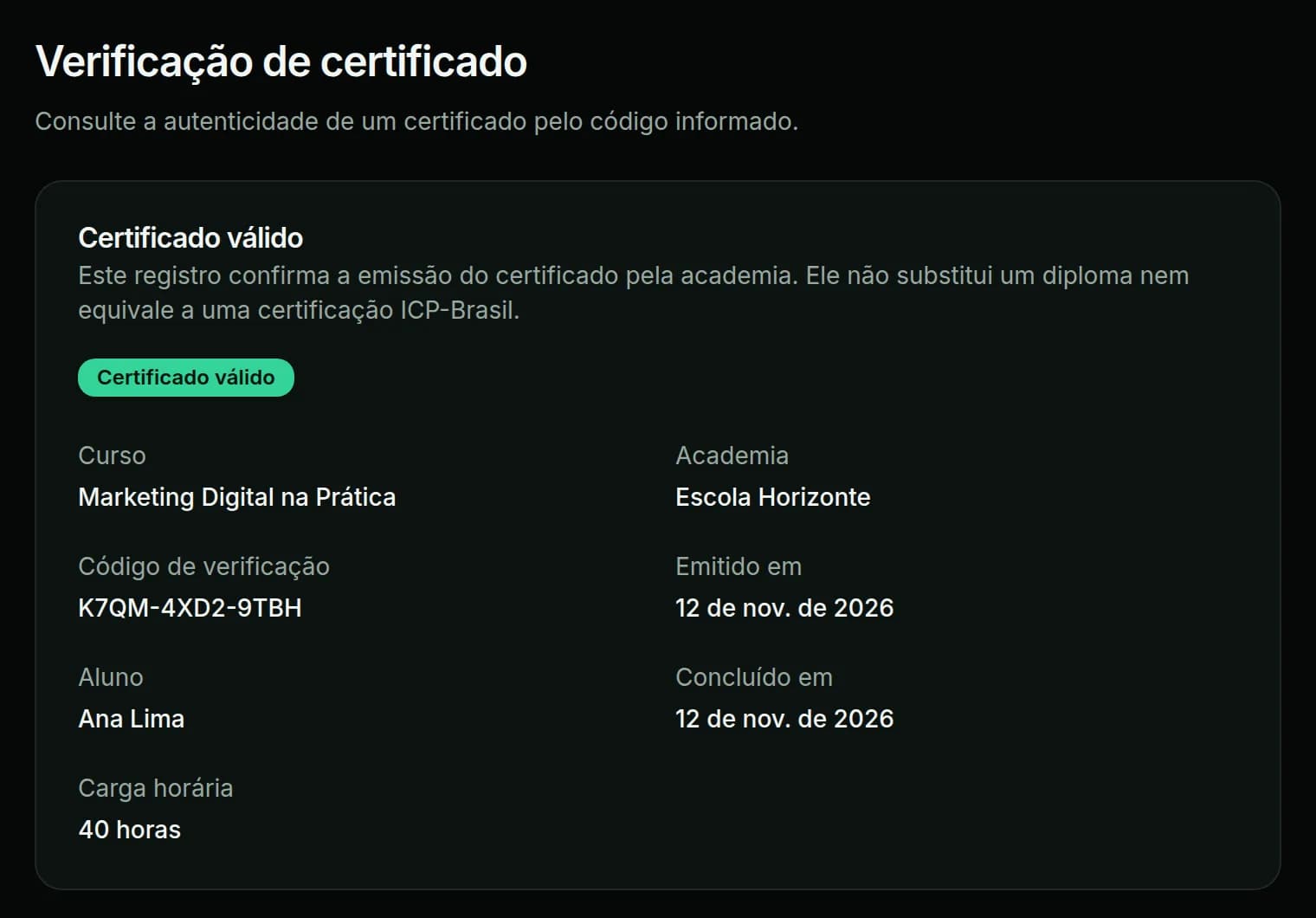
Each certificate has a code and a QR Code on the PDF. Whoever receives the document opens the verification page and sees whether it is valid.
- The verification link uses your school's domain.
- The page shows the course, the school, the issue date, the workload and the code.
- You choose how the student's name appears: full, first name and initials, or hidden.
- A revoked certificate shows as revoked.
- The page reminds that the certificate does not replace a diploma and has no ICP-Brasil validity.
My certificates
Students keep and share them.
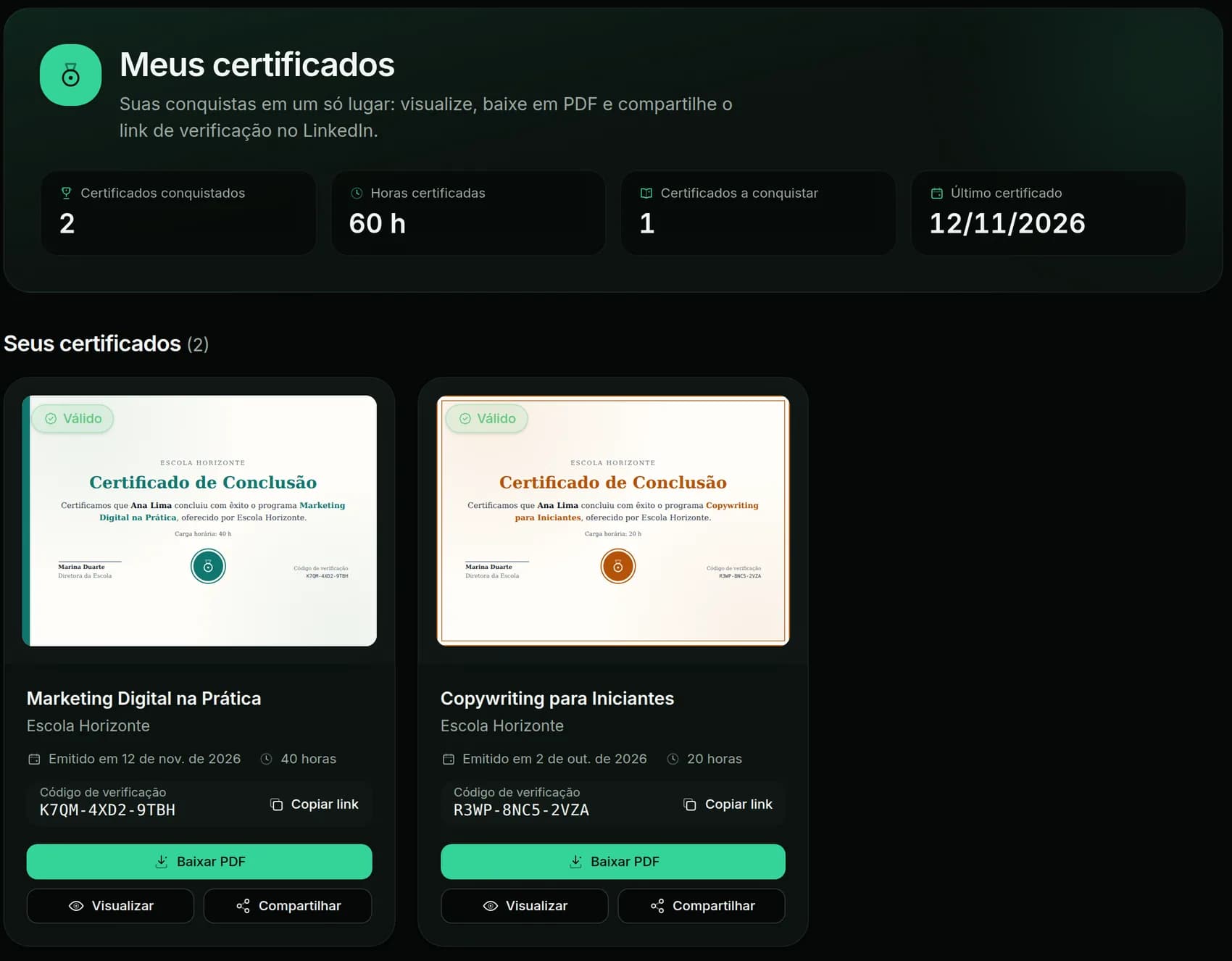
In the student area, all certificates live in one place.
- Preview the certificate and download the PDF.
- Copy the verification link.
- Share on LinkedIn, on the profile or in a post.
- Search by course or code and filter by status.
- See what is left to earn the certificate of each course in progress.
Certificate questions
Certificates, plainly.
Do all plans issue certificates?
Yes, the standard certificate is in every plan. The template with your logo, colors, texts and signature is in the Campus and Legacy plans.
Is the certificate issued automatically?
Yes. When the student meets the course rule, the certificate is issued automatically. You can also issue one by hand for a specific student.
Does the certificate have the validity of a diploma?
No. It is a completion certificate issued electronically, with a simple electronic signature. It does not replace a diploma and has no ICP-Brasil validity. Its authenticity is checked by the code.
How does someone check that a certificate is genuine?
With the code or the QR Code on the PDF, which open the school's public verification page.
Does the student's name show to everyone?
Only as you define. On the verification page the name can appear in full, as first name and initials, or stay hidden.
Can a certificate be cancelled?
Yes. When you revoke it, the certificate stops being valid in the verification and the PDF can no longer be downloaded.
Hand out a certificate with your look.
Create the school, build the course template and leave the issuing to the platform.
Sign up with no card.