

Community
Your students learn together and stay longer.
The community lives inside the members area. Spaces by topic, a feed, events with a calendar and a ranking, all with your school's brand and no extra tool to pay for.
- Spaces unlocked by level
- Events with a calendar
- Moderation with roles
Spaces and feed
Each topic in its own space.
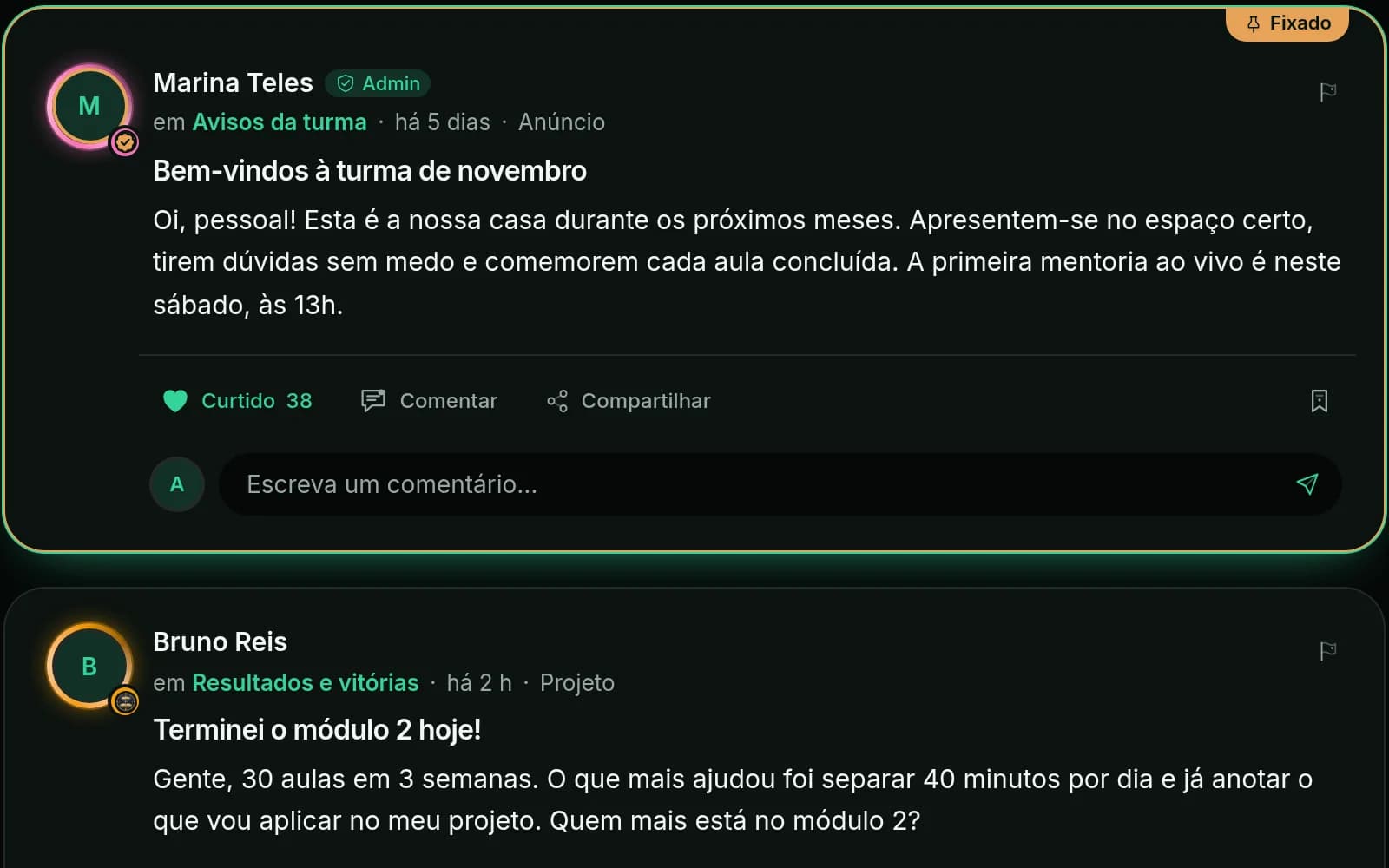
You create the community spaces and decide who joins and who posts in each one. Students find everything in the side menu and follow what is new in the feed.
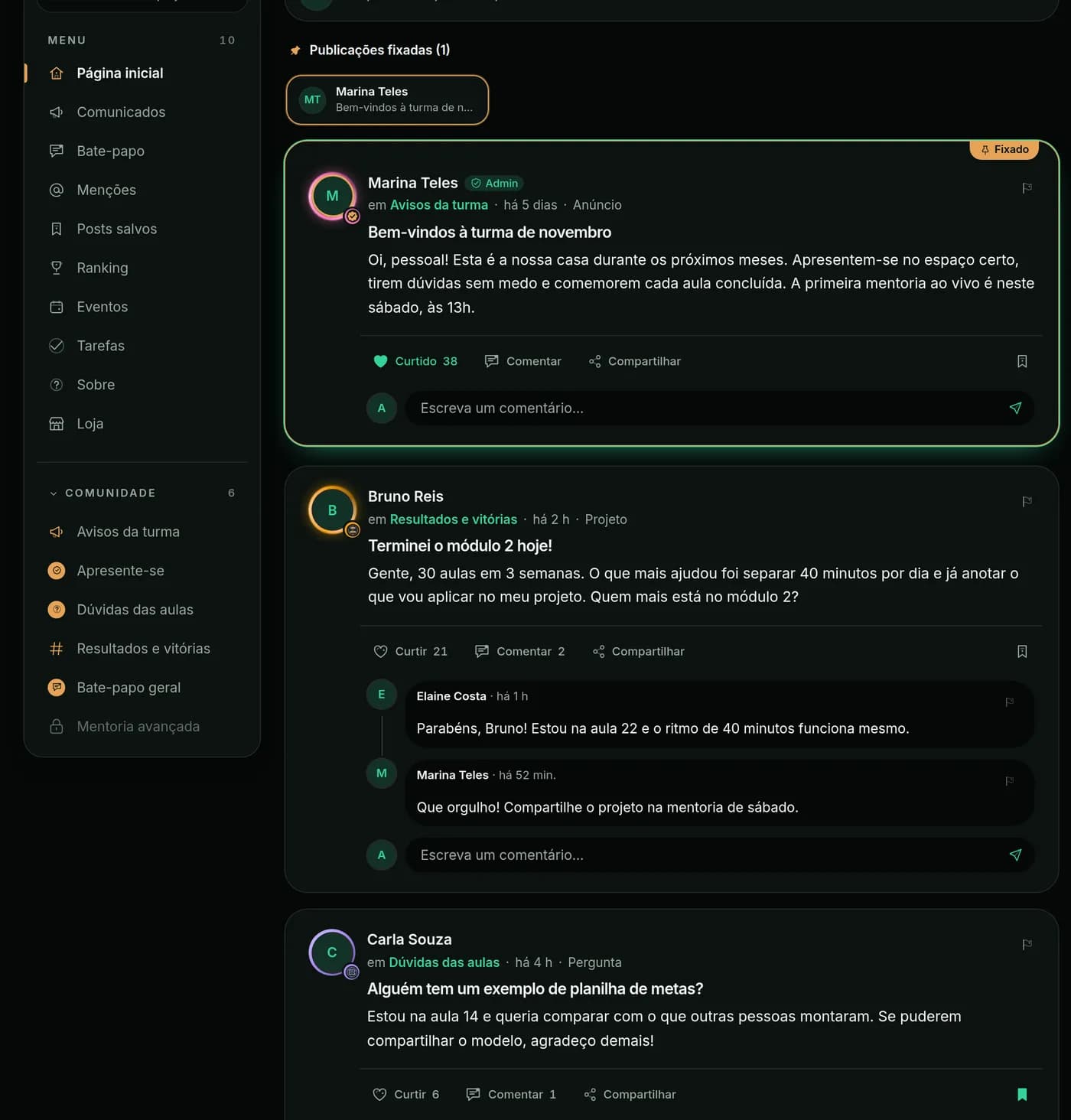
- Spaces with their own name, banner and icon, such as Announcements, Lesson questions and Results.
- A space unlocked only from a certain gamification level. Students who have not reached it see a padlock.
- Who can post in each space: all members, from a level up, only some access groups, or only the team.
- Posts with a title, text and up to 4 images. People who cannot post can still read and comment.
- Pinned posts at the top of the feed, in a carousel.
Day to day
What students do in the community.
Everything opens on the same screen, on phone and desktop.
Post and comment
Posts with images, comments and likes. Authors edit their own posts and any member can report content.
Mentions
Tag someone with @ and they get a notice and find the post in the Mentions tab.
Saved posts
Students keep a post to read later in the Saved posts tab.
Search and Explore
Search the posts by keyword, and an Explore page to discover spaces and what is moving.
Chat
A direct conversation between two members, inside the community, without switching apps.
Announcements
The team posts an announcement and chooses whether to notify students. With the announcement email on, the notice also goes out by email.
Events
Scheduled meetups, with a calendar and RSVP.
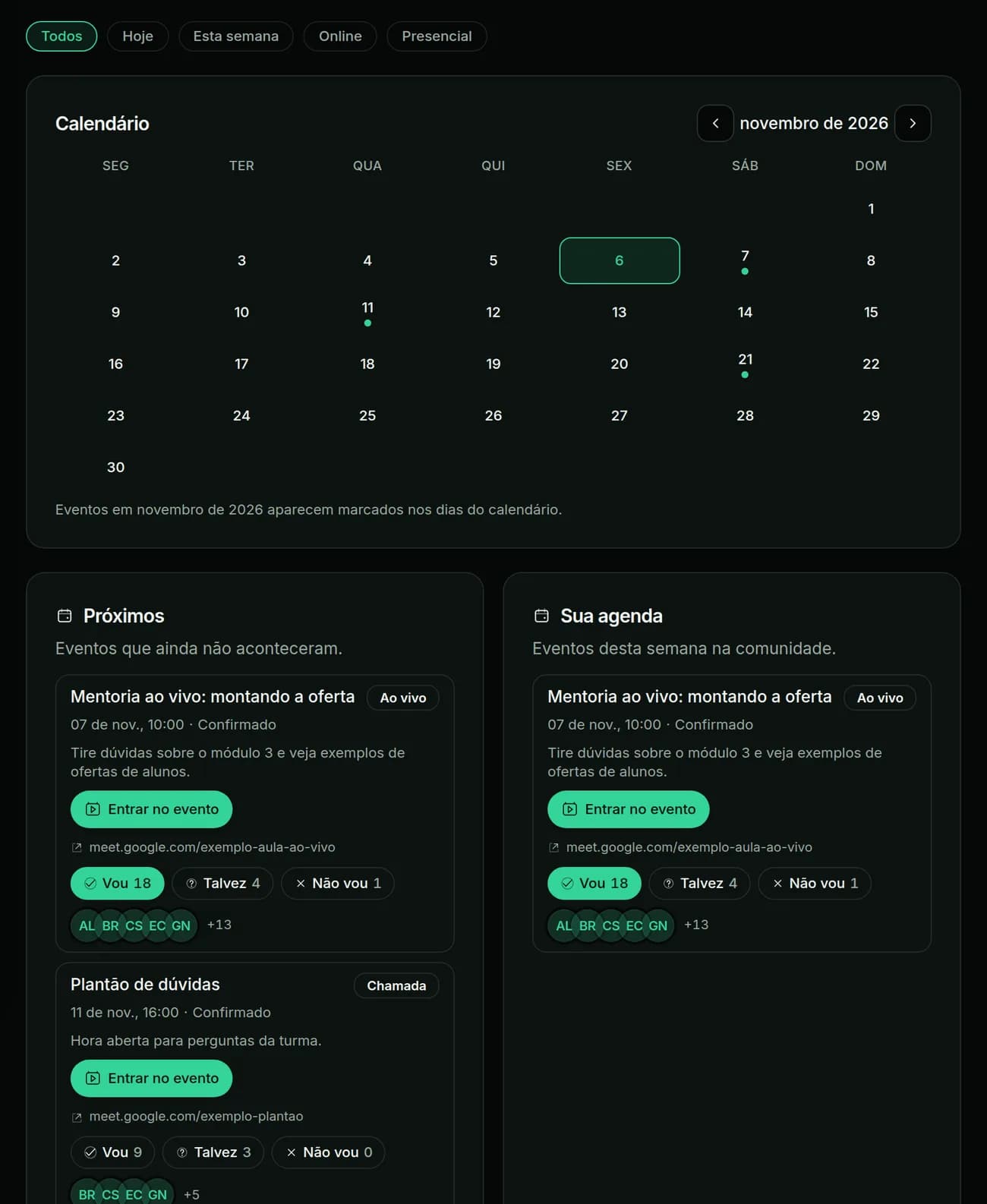
The team creates live events, calls or in-person meetups. Students see the whole month, answer whether they are going and join the room straight from the community.
- Month calendar with the marked days and filters: today, this week, online and in person.
- Each student answers Going, Maybe or Not going, with the count and the photos of who is going.
- A Join event button for video rooms. Joining during the event counts as attendance.
- Attending a live event can earn gamification points.
- Past events stay listed with who took part.
Engagement
People who take part get noticed.
The community works with gamification to give students a reason to come back every day.
30-day ranking
A podium with the most active students and each student's position. You turn the ranking on or off for each area.
Level and badges by the name
The level shows as a ring on the avatar and the featured badge sits beside the name, in the feed and in comments.
Who is online
The side column lists online members and recent visits, so the community feels alive.
Tasks
The team creates tasks with a deadline, proof upload or a quiz. Students who finish earn points.
Moderation
You stay in control.
The team moderates without leaving the community and every action is logged.
Roles
Give the moderator or instructor role to people who help you. Moderators can hide comments and moderate the community.
Sanctions
Mute or ban a member, with a reason and a deadline. While it lasts, they cannot post or comment. You can lift it any time.
Hide and remove
Hide, archive or remove posts and comments. If a post comes down, the points it earned are taken back.
Blocked words
You keep a list of words. Posts and comments that use them are stopped before they show up.
Per members area
- Turn the community on or off in each area, with an editable banner, description and side menu.
- The About and Announcements texts can also be public, for people who are not students yet. Only text goes out, never the conversations.
- A community theme that matches the academy or uses the members area colors.
Plan
Which plans include the community?
The community is part of the plans that include it. The Pricing table shows, plan by plan, what each one has, straight from the catalog the checkout uses.
Frequently asked questions
What creators ask.
Is the community a separate app?
No. It lives inside the members area, with your school's login and brand. Students open it from the area menu.
Can I have more than one community?
Each members area has its own. If you have more than one area, students switch communities with a selector.
Can I open a space only to buyers of a product?
You can limit who posts by access group and unlock a space from a certain level. Each product's class joins through access groups.
How do I avoid spam and fights?
With moderators, timed mutes and bans, hiding and removing content, reports from members and a blocked words list.
Do students earn points for taking part?
Yes, if you turn gamification on. Posting, commenting, receiving likes and attending events can earn points, with a daily limit.
Is the community on every plan?
It depends on the plan. The table on the Pricing page shows which plans include the community.
Bring your class together in one place.
Start free, build the members area and open the community when your plan includes it.
No card needed to start on the Start plan.